

What is Distribution ERP? A Complete Guide for Industrial Distributors
Enterprise resource planning (ERP) systems are important tools for distributors to simplify production, quality control, and supply chain management, while centralizing data from across the organization. This guide is for distributors who need to learn more about how distribution ERP systems work, whether they are right for their organization, and how they impact your organization.
Table of Contents
- What an ERP System Actually Is
- How Distribution ERP Differs from Generic ERP
- Signs You Have Outgrown Your Current ERP System
- What Changes Once You Have an ERP?
- Does Company Size Change Whether ERP Systems are a Good Option?
- How to Start Evaluating ERP
- What Implementation Involves
- Distribution ERP FAQs
- Can I Test Out an ERP Before I Invest in One?
What an ERP System Actually Is
To best manage the complexities of the distribution industry, you need the right tools. ERP systems give distributors the right tools to compete in a fast-paced modern marketplace.
As distributors grow, they have teams across different disciplines that adopt their own tools critical for their job functions. Those tools play important roles on their own, but they don’t naturally connect to each other, leading to decisions being made in a vacuum. ERP systems help solve that disconnected scenario.
ERPs are a centralized system designed to help simplify production, quality control, and supply chain management, while centralizing data from across the organization. Unlike an MRP that focuses on one function, ERP systems allow distributors to connect core business operations in the same platform, unifying core functions such as:
- Production management
- Inventory management
- Order entry and processing
- Work order management
- Vendor reporting and price updating
- Bin management
- Warehouse management
These interconnected tools allow users throughout the organization to access and act on the same data in real time, all within the same ERP system. Users from different departments can log in from their own devices and access and share information more effectively. Operations can manage products, finance can track revenue, and customer service can address customers, all while leadership has a true pulse on how the organization is running at any given time.
This unified approach leads to more cohesive business operations, allowing distributors to:
- Make crucial decisions in real time.
- Centralize information and data storage.
- Report accurately, with up-to-date data.
- Improve visibility of all business aspects throughout their organization.
A key detail about distribution ERP is that it is not generic accounting software or basic spreadsheets. ERP systems are a collection of integrated tools that deliver more value than static checklists. ERP provides users with a live operational system that ties key elements together to manage the entire distribution process.
How Distribution ERP Differs from Generic ERP
ERP systems come in several forms. Some ERPs are designed to be more generic, broadly supporting different business functions. These generic ERP systems provide the same set of tools for businesses whether they’re in retail or fluid handling. That approach may be perfectly fine for organizations with less specialized workflows and operations. For distributors, it can lead to inflexible systems that require expensive customizations or a process that doesn’t quite fit their needs.
Distribution ERP is purpose built around core workflows and operations to reduce operational friction and transform workflows for businesses of all sizes. This specialized approach differentiates distribution ERP from generic options in several ways:
- Native, proven functionality that is built to handle thousands of SKUs, all while including niche capabilities crucial for distributors, including automated hose configurators, production management, and industry-specific units of measurement.
- Defined verticals that are specific to your industry and eliminate manual workarounds, eliminating the need for third-party customizations and outside spreadsheets to complete everyday tasks.
- Multi-location capabilities designed to support multiple warehouses, branches, and other locations that are common among distribution.
- Improved work order management that allows users to set up reminders for follow-ups and track which inquiries turn into sales, which sales were lost, and why.
- Industry-specific pricing options that built around complex pricing scenarios like customer-specific pricing, unique pricing units, and margin management.
- Robust customer management and counter sale systems that handle customer data and sales funnels automatically.
- Dedicated warehouse functionality that streamlines key functions like receiving, put-away, picking, packing, shipping, and cycle counting.
- Supplier integrations that eliminates the need for custom development or third-party connectors to manage key functions like automatic price updates, rebate reporting, POS data exchange, and item updates.
- Real industry expertise and support from people who have extensive, first-hand experience with distribution operations.
Signs You Have Outgrown Your Current ERP System
If your software has been around for eons, your business processes have probably changed and the functionality needed when your software was first installed probably differs significantly from what’s needed for the current way you do business. That’s a problem.
It may be time to consider an upgrade if you’re using a legacy system or some other means to run your business. The best time to implement a modern system is before your previous ERP or other system starts to meaningfully affect business operations or customer relationships.
You should address any growing issues in your current system as soon as you notice and can take action. Keep the following factors in mind to see if it’s time to invest in an upgraded distributor ERP.
Inability to Meet Customer Demands
Customers are demanding more technological advances from their suppliers. Outdated ERP systems can struggle to accommodate demands such as:
- Customized and barcoded packing slips
- Custom & barcoded shipping labels
- Serial numbered labels for OEM kits or assemblies
- Emailing of quotes with schematics, specific instructions, or photos attached
- ProForma Invoices
- Ability to add specific notes regarding fabrication, packing and shipping
Upgrading to an ERP system that is designed for industrial distribution and fabrication will allow you to keep up with customer demands, increasing your profit margin, and creating customer loyalty.
Inconsistent Pricing
Distributors want to eliminate the headaches of dealing with inconsistent pricing between their sales personnel. Information changes so rapidly that it may be difficult to update the sales team on changes in pricing, stocking, and part replacements.
Your new ERP software system should allow your sales team to access the same updated and relevant data that will keep them from competing against each other and possibly driving customers to your competitor.
Having to Meet Supplier Requirements Outside of Your System
Industrial distributors are increasingly asked to meet major manufacturers' specific requirements for discounts and rebates as a normal part of doing business. If you are spending hours doing these chores outside your system, it is costing you money and creating room for error.
An upgraded ERP system should give you access to built-in tools to streamline your business processes with major suppliers. You should also evaluate systems to see if they partner with major industry suppliers to facilitate discounts, rebate calculation, easy PO transmission, and more. Potential partners of note include:
- Bosch Rexroth
- Danfoss
- Dixon Valve & Coupling
- Eaton Corporation
- Gates Corporation
- Garlock Sealing Technologies
- Parker Hannifin
- Pall Filters
- Sun Hydraulics
Difficulty Tracking Production Orders
Does your current software allow you to easily manage production orders? Do you have multi-level Bills of Materials (BOMs) and numerous sub-assemblies in your fabrication or system integration jobs? If not, it may be time to retire your current solution.
Upgraded ERP systems should be able to track and manage every component within the parent assembly and each sub-assembly. You should be able to expedite single components and outsource sub-assemblies and ship loose components to a job site easily. And your new ERP system should be designed to be able to track estimated and actual costs to gain the true profit on your production orders.
Inability to Integrate with New Technology
There are many cool new applications that can help you with specific business needs. However, legacy systems may not have the ability to integrate with them.
A modern distribution ERP can provide a breadth of technology options for customers. Unlike generic systems, the right distribution ERP won't shoe-horn you into using a "built-in" or optional module that may not suit your needs. Your new ERP system should have the ability to integrate to today's latest technology such as:
- Business Analytics Solutions
- Customer Relationship Management (CRM) Software
- Document Management Systems
- E-commerce Solution
- Inventory Sharing Solutions
- Payment Processing Solutions
- Signature Capture Solutions
- Wireless Warehouse Features
What Changes Once You Have an ERP?
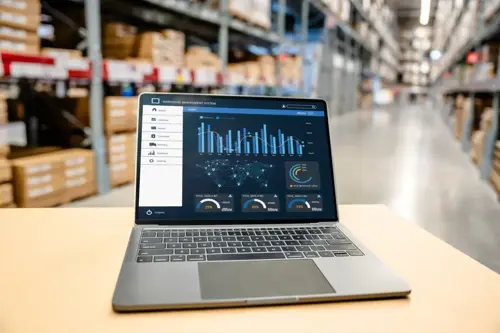
There are a variety of key features when it comes to modernizing your ERP system. Oftentimes companies upgrade their system to resolve issues like dwindling productivity or a rising inability to meet customer expectations. This upgrade comes with several notable changes.
A modern distributor ERP drives several benefits that fundamentally impact the way businesses can run their business and deliver direct ROI benefits. Some of the ways a modern ERP software changes your business includes:
Updated User Experience
Most modern ERP systems offer a consistent user interface throughout. Every element of a user interface should make use of the same underlying technology and database that the rest of the organization is also using. Having this modernized interface gives your team easier, more intuitive access to the files they need when they need it without limiting other teams from accessing that same information.
Real-Time Data
To make informed decisions, you need to be able to access up-to-date information. Modern distribution ERP supports fast-paced decision-making by providing streamlined access to real-time data shared across the organization.
Improved Data Security
ERP systems handle crucial data that needs to be securely handled. Because of that, permissions must be highly configurable. Modern distribution ERP systems give your IT administrators the tools they need to establish access based on the user’s general role, individual user, and field-level security.
System Adaptability
You shouldn’t have to change your business processes to suit your legacy ERP. Outdated systems or generic options don’t have the features to truly fit the specific needs of distributors. Modern ERP systems should adapt to your organization’s business processes and help make them more efficient than before.
Does Company Size Change Whether ERP Systems are a Good Option?
To effectively run a business of any size, you must have systems in place to efficiently manage customer records, billing materials, sales, and invoicing. ERPs give businesses of all sizes to streamline operations and execute their business strategy, not just massive organizations.
There is a wide array of modern ERP systems that are available and scalable for small business use. Most ERP software is split into several modules based on business functions. Common ERP modules include:
- Accounting and finance
- Customer relationship management
- Inventory and warehouse management
- Production management
- Material requirements planning
Not every business needs to use every available module in their ERP software. For that reason, small to medium business owners should prioritize their organizational needs and what modules will best help them streamline their operations.
When chosen correctly, ERP systems for small and medium-sized businesses can reap similar benefits to larger organizations. The infrastructure of modern ERP systems also makes it easy to add resources as you grow, allowing distributors to scale the technology as needed. That scalability comes in addition to several key benefits:
- Time Savings on Administrative Duties: Modern ERP systems help cut down on the time needed to handle slow but necessary tasks like bookkeeping and data consolidation.
- Real-Time Data: ERP systems eliminate information silos that impede data transparency and teamwork, allowing companies of all sizes to improve collaboration and reduce the risk of costly communication errors.
- Improved Warehouse and Inventory Management: Both features provide you with the ability to reduce excess inventory, deliver quality customer service, and improve traceability.
- Improved Customer Purchasing Experience: The best ERP small business solutions have robust customer management and counter sale systems that handle customer data and sales funnels automatically.
- Improved Work Order Management: Every best practice distributor understands the importance of documenting any sales inquiry. With order entry, you can add a ticket to the quote to remind you to follow up with the customer. Plus, you can track which inquiries turn into sales, which sales were lost, and why.
How to Start Evaluating ERP Systems
Every search has to start somewhere. There are a few initial steps distributors should take when evaluating ERP software to help set them in the right direction before they talk to different providers.
Talk to Your Peers
The best place to start when evaluating a new ERP system isn’t the companies who make them. It’s the other people in your industry who actively use them.
ERP system referrals from peers in your industry are a great first step to determining if an ERP makes sense for your business and starting your search. This feedback is especially valuable if you talk to peers who operate in the same distribution niche and know how an ERP will directly tie to your specific workflows and operational needs. The results can both help you identify possible fits and eliminate ERPs that don’t match your needs.
Ask Yourself a Few Questions Before Starting Your Search
Before you can really start comparing ERPs, you need to take some time to determine the exact reasons why it’s time to invest in a new system and whether your organization is truly prepared for the transition. We recommend going through the following five questions before you search for a new ERP:
- Why are you considering upgrading or changing ERP software?
- Have you mapped out your current business processes?
- Do you have buy-in from everyone at your company?
- Do you have the internal resources to take on an ERP Implementation Project?
- Will you ensure your staff is using the full capabilities of your new ERP system?
Read More: 5 Questions Industrial Distributors Should Ask When Investing in a New ERP System
Consider the Difference Between On-Premise and Cloud-Based ERP Systems
Distributor ERP systems are available in both on-premise and cloud-based solutions, and you should have an idea about which approach makes the most sense for your business before vetting providers.
- On-Premise ERP: Installed locally on your company’s own server without any need for an internet connection.
- Cloud-Based ERP: Hosted on the provider’s servers and accessed via an internet connection, allowing employees to access information from anywhere.
Read More: On-Premise vs. Cloud Based: What’s the Difference?
What Implementation Involves
Once you’ve chosen an ERP system, you’ll need to implement it. The implementation process is an extremely important period that requires a distributor and provider to work together and go live with confidence. This process can take months, if not more than a year, and involves several steps:
- Pre-Implementation: Foundation steps taken to get everyone on the same page and coordinate details that will impact the implementation process, such as server specifications.
- Initial Meetings: Either in-person or virtual sessions to kick off and lay out the foundation of the implementation process.
- Data Entry and Migration: The ongoing preparation, conversion, and review of critical files and information so that your business has accurate, clean data when it’s time to go live.
- Ongoing Meetings and Training: Recurring sessions to train users on the ERP system and review data as it’s prepared to go into the system.
- Official Go Live: The process of transitioning from your old system (if applicable) and launching your new ERP with open orders and live data.
- Post-Implementation Support: Continued assistance to streamline the transition period as employees settle into regular use of the new ERP system.
It’s also critical to understand that ERP implementation requires time and effort from your team. Implementation is a collaborative effort between provider and distributor, and a key part of the process requires employees to drive the process forward. It’s best practice to make sure that you have team members who have the availability to extract data, coordinate responsibilities, and communicate with your ERP provider throughout the implementation period.
Distribution ERP FAQs
What is distribution ERP?
ERP stands for enterprise resource planning and is a centralized system designed to connect different departments through a shared database. This unified system allows everyone within an organization to access the same information in real time, allowing organizations to simplify production, quality control, and supply chain management, and other core workflows.
What is the difference between ERP and MRP?
ERP and MRP both provide similar capabilities, but an ERP includes additional features that can help organizations manage and grow their business. MRP stands for material requirements planning and allows businesses to forecast and order raw materials. ERP stands for enterprise resource planning can include material planning capabilities, along with other key tools like production planning, scheduling, and inventory management.
Do small distributors need an ERP system?
Not all small businesses require an enterprise resource planning (ERP) system, but many find them to be valuable tools to help them efficiently manage essential business functions, such as inventory management, billing materials, sales, and invoicing. ERP can be a good fit if a small business owner finds that their company is struggling with data access, inventory mistakes, an inability to scale operations, and other issues.
How long does an ERP implementation take?
A successful ERP implementation is a long-term process that spans from pre-implementation steps all the way through the system going live. The average ERP implementation can take longer than a year and upward of 24 months to properly train users, migrate data, and ensure a smooth, streamlined transition that allows businesses to operate their system effectively once their new ERP is live.
What is the difference between ERP and accounting software?
Accounting software plays an important role in helping businesses manage financial tasks, while an ERP combines financial capabilities with tools to support other business functions. ERP systems allow distributors and other businesses to connect financial management with inventory management, customer service, and other core processes into a single connected platform that can be accessed by multiple teams throughout an organization.
Can an ERP system replace our spreadsheets and standalone tools?
Yes, ERP systems can replace spreadsheets and other standalone tools by providing a centralized platform that connects an organization’s core business functions. A modern ERP gives users from different teams a unified system that includes accounting, inventory, customer management, allowing different teams to keep and track real-time data withing the ERP instead of disconnected spreadsheets and third-party tools.
Should distribution ERP be cloud or on-premise?
The decision between cloud and on-premise ERP systems depends on your organizational preferences. Both choices can provide businesses with robust, centralized platforms to centralize data and streamline operations. The main difference is whether you want an on-premise ERP that is installed accessed locally on your servers, or a cloud-based solution that requires an internet connection and can be accessed from anywhere. Each option has its own benefits, which can be explored more in our Cloud vs. On-Premise guide.
How do we know when it is time to replace our current system?
There are a variety of factors that can indicate that your current system should be replaced. An outdated system often leads to issues with data access, customer service, inconsistent pricing, and other problems that either make life more difficult or prevent your business from growing. If you’ve noticed that your current system has a negative impact on business operations or customer relationships, it’s time for a replacement solution.
Can I Test Out an ERP Before I Invest in One?
Industrial distribution is too complex for basic solutions, and it’s only natural to want to try an ERP to see if it’s a good fit before you commit to a provider.
TrulinX is a proven distribution ERP backed by an industry leader with more than 40 years of experience giving distributors the tools to improve efficiencies and accelerate their bottom line. Request a Demo for a closer look at TrulinX, and we’ll be happy to show you a personalized demonstration of how our system can improve your workflows.